
- Using Heading Block
- Buttons
- Post Grid
- Content Timeline
- Social Share
- Google Map
- Add Testimonials
- Info Box
- Team
- Icon List
- Price List
- Post Masonry
- Post Carousel
- Post Timeline
- Call To Action
- Advanced Columns
- Blockquote
- Marketing Button
- Table Of Contents
- How-to Schema
- FAQ’s: Schema/Accordion
- Inline Notice
- WP – Search
- Review Schema
- Lottie
- Taxonomy List
- Tabs Block
- Create Contact Forms
- Star Rating
- Masonry Image Gallery
- Wireframe Blocks
- Heading Block
- Image Block
- Buttons Block
- Translate Everything WPML
- Container Block
- Taxonomy Styling Options
- Block Presets
- Image Gallery
- Counter Block
- Modal Block
- Registration Form Block
- Slider Block
- Pagel Level Custom CSS
- Countdown Pro
- Slider Custom Navigation
- Instagram Feed
- Loop Builder
- Animations
- Login Form Block
- Global Block Style Extension
- Create Popups
- Custom Blocks
- Move Block Patterns
- Grid Builder
- Newsletter Forms
- Register High-Privileged Users
- Hide Core Blocks
- Getting Started with Instagram
- Advanced Loop Builder
- Preview Options (Desktop, Tablet & Mobile)
- Section
- Troubleshooting: Missing Icons
- Spectra Patterns
- Contact Form 7: Multiple Column Fields
- Contact Form 7: Checkbox / Radio / Acceptance Control
- Unable To Style Contact Form 7
- Tab Index For Multiple Gravity Forms
- Getting Started With Spectra
- Exclude Heading From TOC
- Importing Starter Templates With Spectra
- Getting Started With Spectra
- Manually Install Spectra Via FTP
- Automatic Beta Updates
- Rollback To Previous Versions
- Load Google Fonts Locally
- Activate Spectra Pro License
- Install Spectra Pro
- Translate Strings With Loco Translate
- Process Refund Requests
- Transparent / Sticky Header
- Change Site Logo
- Change Global Styles
- Disable Title on Posts & Pages
- Transparent / Sticky Header For Single Page / Post
- Change Header & Footer Patterns
- Custom / Google Fonts
- Reset Global Default Styling
- Manually Install Spectra One Via FTP
- Enable / Disable Header & Footer On Specific Pages / Posts
Inline Notice
Inline Notice block is a simple block that helps you to highlight important notes. Its ready-to-use box lets you add text quickly. You can completely customize the look with inbuilt layouts, colors, and typography options.
Key features –
- Option to add Title and Content
- Notice Display Types – Allow Always/ Allow To Dismiss
- Enable cookies with dismissable notice
- Color options for title, content, background
- Typography and spacing options
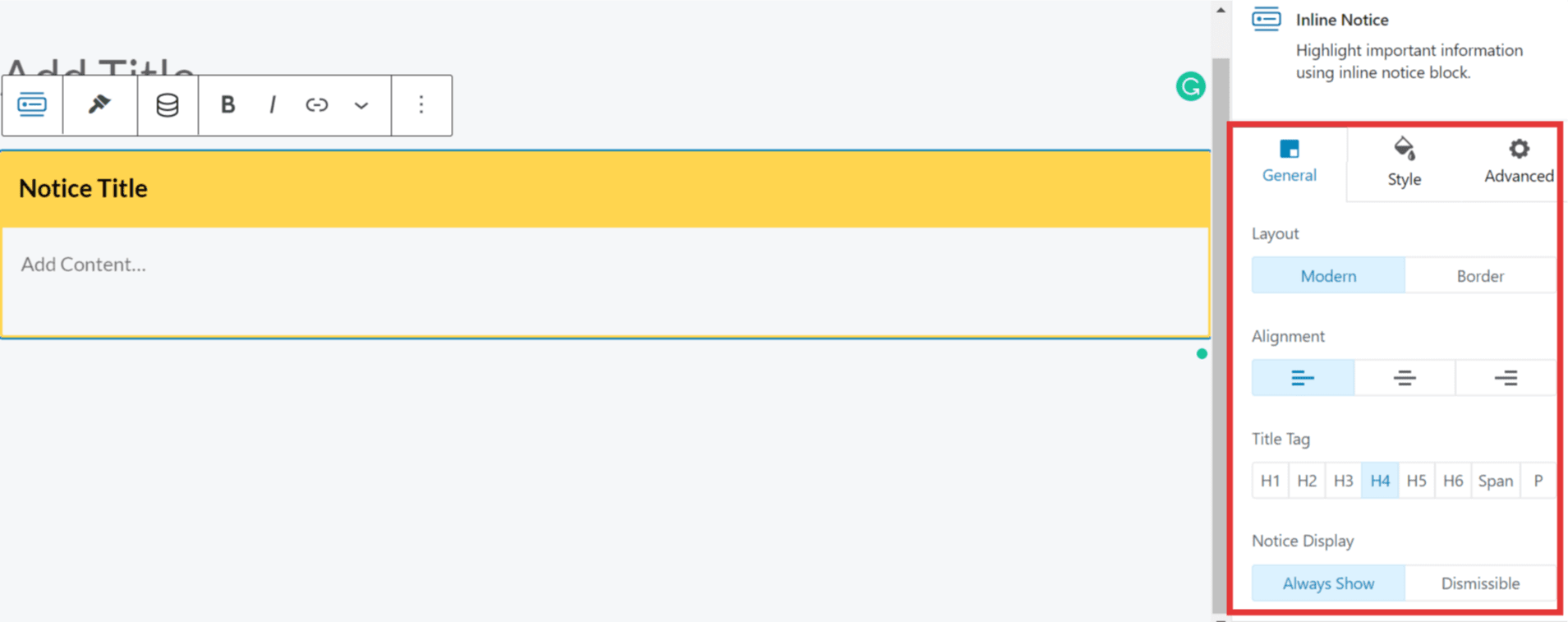
General Settings
Layout: There are two options to design the layout.
- Modern
- Border
Alignment: You can align the Notice Title and content to Left, Center, or right depending on your requirements.
Title Tag: You can choose the Title Tag from the headings hierarchy here.
Notice Display: There are two options for the way you can display a notice.
- Always Show: As the name states, the notice will be displayed all the time like other text on the page.
- Dismissible: This option lets you make the notice dismissable. That means a close button will appear at the corner of the box. So that users can close it after reading. This option also allows enabling cookies. So that after closing a notice, you can decide the number of days to display the notice again.
Style Options
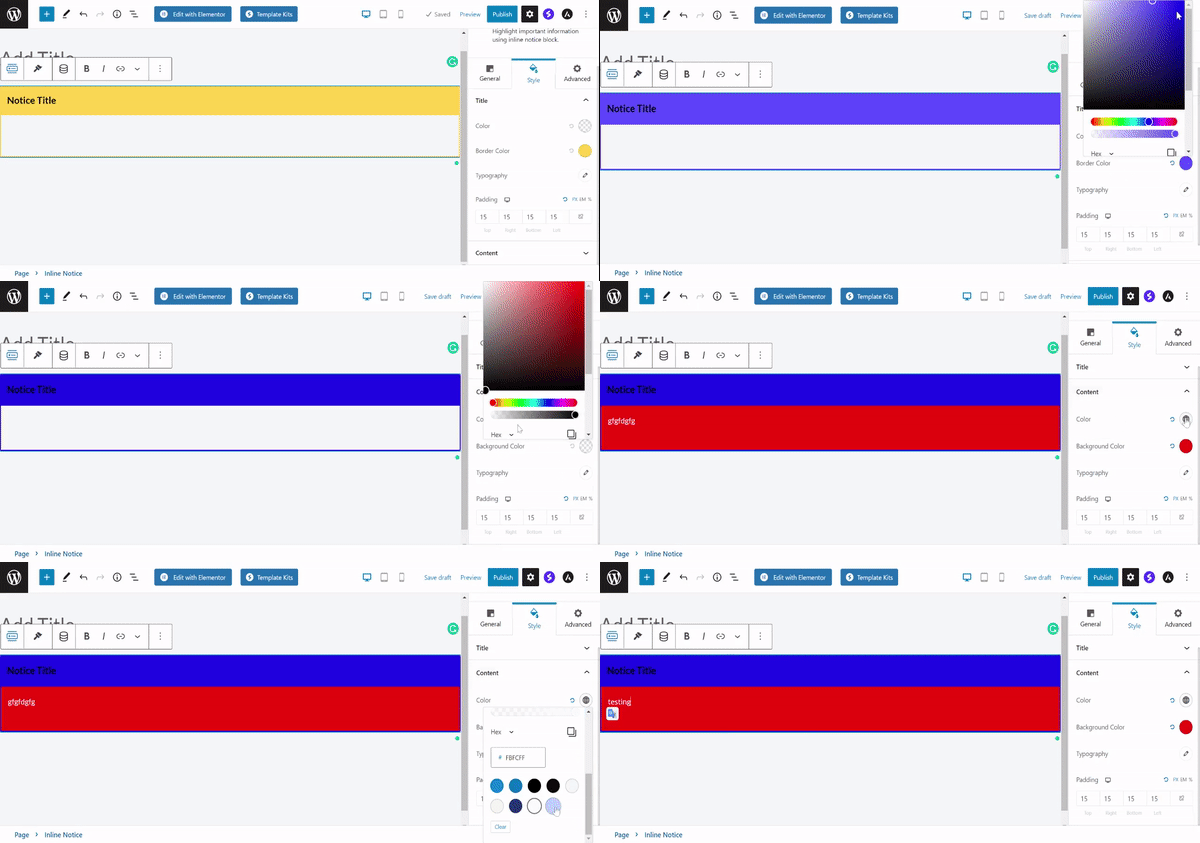
- Color options are available for the Notice Title and content of the box
- You can even set the color for the highlight bar and background of the box.
- Typography and spacing (padding) options are available for the Notice Title and content of the box.
Was this doc helpful?
What went wrong?
We don't respond to the article feedback, we use it to improve our support content.